 No se si ha salido ya en este foro, pero tenemos disponible una versión beta de esta magnífica página de meteo marina para móviles Android, iPhon, Blackberry, Symbiam, étc..
Ver la parte superior central de su página güeb:
http://www.passageweather.com/
No se si ha salido ya en este foro, pero tenemos disponible una versión beta de esta magnífica página de meteo marina para móviles Android, iPhon, Blackberry, Symbiam, étc..
Ver la parte superior central de su página güeb:
http://www.passageweather.com/
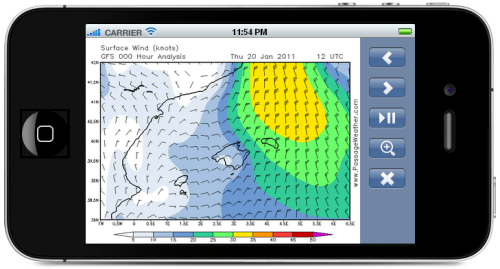 Updated: Version 0.5 beta - 19 January, 2011
We are currently developing a mobile web app for modern smartphones, such as iPhone, Android, Symbian, Bada, BlackBerry and other mobile devices (iPod touch, etc.)
We've tested it on
iPhone and
Android devices, and it all seems to work fine so far... It will work on most
Symbian devices (such as Nokia and some Sony-Ericsson smartphones), Samsung
Bada devices, as well as
BlackBerry devices that are using the latest versions of the operating system...
Please keep in mind that this web app is still in it's early (beta testing) stages, so what we have now is not the finished product... If it doesn't work on your device, please let us know so that we can get it to work on your device... See below for more info on how to send us feedback...
Installation Instructions:
NOTE: This web app is not designed to be used in a desktop browser, so it won't work in Internet Explorer and most other desktop browsers.
iPhone:
- Open Safari, and go to www.passageweather.com/mobi
- Tap the + sign at the bottom of the screen
- Select "Add to Home Screen"
- Run the web app by tapping the PassageWeather icon
- Note: With the latest version of the iPhone operating system (v4.2) the + sign has been replaced with a rectangle containing an arrow
- If the above does not work properly on your iPhone, try the same steps using www.passageweather.com/mini
Android:
- In the Android Browser, go to www.passageweather.com/mobi
- Click the “Settings” hard button on your Android phone
- Choose “More” from the settings options
- Click “Add Bookmark”
- Click “Ok” to save the bookmark
- Go to a free spot on your Home Screen and long press on the screen until “Add to Home Screen” shows up
- Choose “Shortcuts”
- Choose “Bookmark”
- Choose your recently created bookmark for PassageWeather
- Run the web app by tapping the PassageWeather icon
- If the above does not work properly on your Android device, try the same steps using www.passageweather.com/mini
BlackBerry, Symbian, Bada and other Devices:
- On your device, go to www.passageweather.com/mini
- Use the built-in browser that came with your device first... If it doesn't work properly then try it using another browser (such as Opera, SkyFire, Bolt, etc.)
Please help us test it
If you get a few minutes free sometime give it a try and PLEASE let us know what works and what doesn't, and also send us any suggestions and/or constructive criticism... There's quite a few things that need to be sorted out, so don't be shy...
To make any comments/suggestions, or to report any bugs or problems, we recommend using our new
Support Forum as you might find that somebody else has asked the same question, and therefore the answer may already be there... Also, other users in the future will benefit from the questions and answers that are posted there...
You can also send an email to info@passageweather.com
Please include your phone/device make and model in your email, and if you know the operating system version please include that as well... We are trying to work out all the bugs and problems, so you are encouraged to help us make this web app work properly on your phone/device...
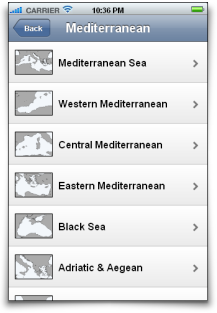
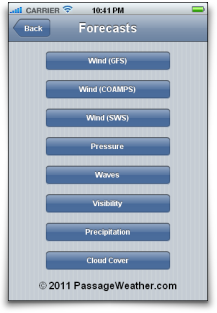 Updated: Version 0.5 beta - 19 January, 2011
We are currently developing a mobile web app for modern smartphones, such as iPhone, Android, Symbian, Bada, BlackBerry and other mobile devices (iPod touch, etc.)
We've tested it on
iPhone and
Android devices, and it all seems to work fine so far... It will work on most
Symbian devices (such as Nokia and some Sony-Ericsson smartphones), Samsung
Bada devices, as well as
BlackBerry devices that are using the latest versions of the operating system...
Please keep in mind that this web app is still in it's early (beta testing) stages, so what we have now is not the finished product... If it doesn't work on your device, please let us know so that we can get it to work on your device... See below for more info on how to send us feedback...
Salud.
